Showing posts with label Android. Show all posts

Tuesday, 28 April 2020

Different Types Of Android Dialog


Different Types Of Android Dialog
Android Dialog
Alert Dialog                                  Download: Code
AlertDialog.Builder builder = new AlertDialog.Builder(this);//this is activity
    builder.setMessage(R.string.show_alert)
            .setPositiveButton(R.string.show, new DialogInterface.OnClickListener() {
                @Override
                public void onClick(DialogInterface dialog, int which) {
                    show_alert.setText("Alert Showed");
                }
            }).setNegativeButton(R.string.dont, new DialogInterface.OnClickListener() {
        @Override
        public void onClick(DialogInterface dialog, int which) {
            show_alert.setText("Alert Not Showed");
        }
    }).show();
 
Custom Dialog
    TextView title = new TextView(this);
    title.setText(R.string.Custom_alert);
    title.setTextColor(R.color.title);
    title.setPadding(20, 20, 20, 20);
    title.setGravity(Gravity.CENTER);
    title.setBackgroundColor(R.color.white);
    title.setTextSize(20);
    AlertDialog.Builder builder = new AlertDialog.Builder(this);//this is activity
    builder.setMessage(R.string.show_alert)
            .setCustomTitle(title)
            .setPositiveButton(R.string.show, new DialogInterface.OnClickListener() {
                @Override
                public void onClick(DialogInterface dialog, int which) {
                    show_alert.setText("Alert Showed");
                }
            }).setNegativeButton(R.string.dont, new DialogInterface.OnClickListener() {
        @Override
        public void onClick(DialogInterface dialog, int which) {
            show_alert.setText("Alert Not Showed");
        }
    }).show();

Source Code - Download

Sunday, 8 March 2020

Get URL From Webview

Get URL from long click on links in a Webview

MainActivity.java
                                Download: Code
public class MainActivity extends AppCompatActivity {

    WebView webView;
    String URL1 = "https://stackoverflow.com/questions/60577403/how-to-get-url-from-long-click-links-in-a-webview/60577736?noredirect=1#comment107173847_60577736";

    @Override
    protected void onCreate(Bundle savedInstanceState) {
        super.onCreate(savedInstanceState);
        setContentView(R.layout.activity_main);

        webView = findViewById(R.id.webview);

        webView.clearHistory();
        webView.getSettings().setJavaScriptEnabled(true);
        webView.getSettings().setLoadWithOverviewMode(true);
        webView.getSettings().setUseWideViewPort(true);
        webView.setWebViewClient(new WebViewClient() {

            public void onReceivedError(WebView view, int errorCode, String description, String failingUrl) {

            }

            public void onPageFinished(WebView view, String url) {

            }

            @Override
            public boolean shouldOverrideUrlLoading(WebView view, String url) {
                URL1 = url;
                return super.shouldOverrideUrlLoading(view, url);
            }
        });
        webView.loadUrl(URL1);
        // Register the context menu for web view
        registerForContextMenu(webView);
    }

    @Override
    public void onCreateContextMenu(ContextMenu menu, View v, ContextMenu.ContextMenuInfo menuInfo) {
        super.onCreateContextMenu(menu, v, menuInfo);

        // Get the web view hit test result
        final WebView.HitTestResult result = webView.getHitTestResult();

        // If user long press on url
        if (result.getType() == WebView.HitTestResult.ANCHOR_TYPE ||
                result.getType() == WebView.HitTestResult.SRC_ANCHOR_TYPE) {

            // Set the title for context menu
            menu.setHeaderTitle("\t\t\t\t\t\t\t\t\t\t ◦ ◉ ⦿ Select ⦿ ◉ ◦ \t");

            // Add an item to the menu
            menu.add(0, 1, 0, " \t \t➤\t Show URL")
                    .setOnMenuItemClickListener(new MenuItem.OnMenuItemClickListener() {
                        @Override
                        public boolean onMenuItemClick(MenuItem menuItem) {
                            String Pressed_url = result.getExtra();
                            Toast.makeText(MainActivity.this, "URL is:-" + Pressed_url,
                                    Toast.LENGTH_SHORT).show();
                            return false;
                        }
                    });
        }
    }
}
activity_main.xml


<?xml version="1.0" encoding="utf-8"?>
<androidx.constraintlayout.widget.ConstraintLayout xmlns:android="http://schemas.android.com/apk/res/android"
    xmlns:tools="http://schemas.android.com/tools"
    android:layout_width="match_parent"
    android:layout_height="match_parent"
    tools:context=".MainActivity">

    <WebView
        android:id="@+id/webview"
        android:layout_width="match_parent"
        android:layout_height="match_parent" />

</androidx.constraintlayout.widget.ConstraintLayout>
Output - 


Download Full Code from GitHub.

Saturday, 1 February 2020

Android Smart Rate Us Dialog

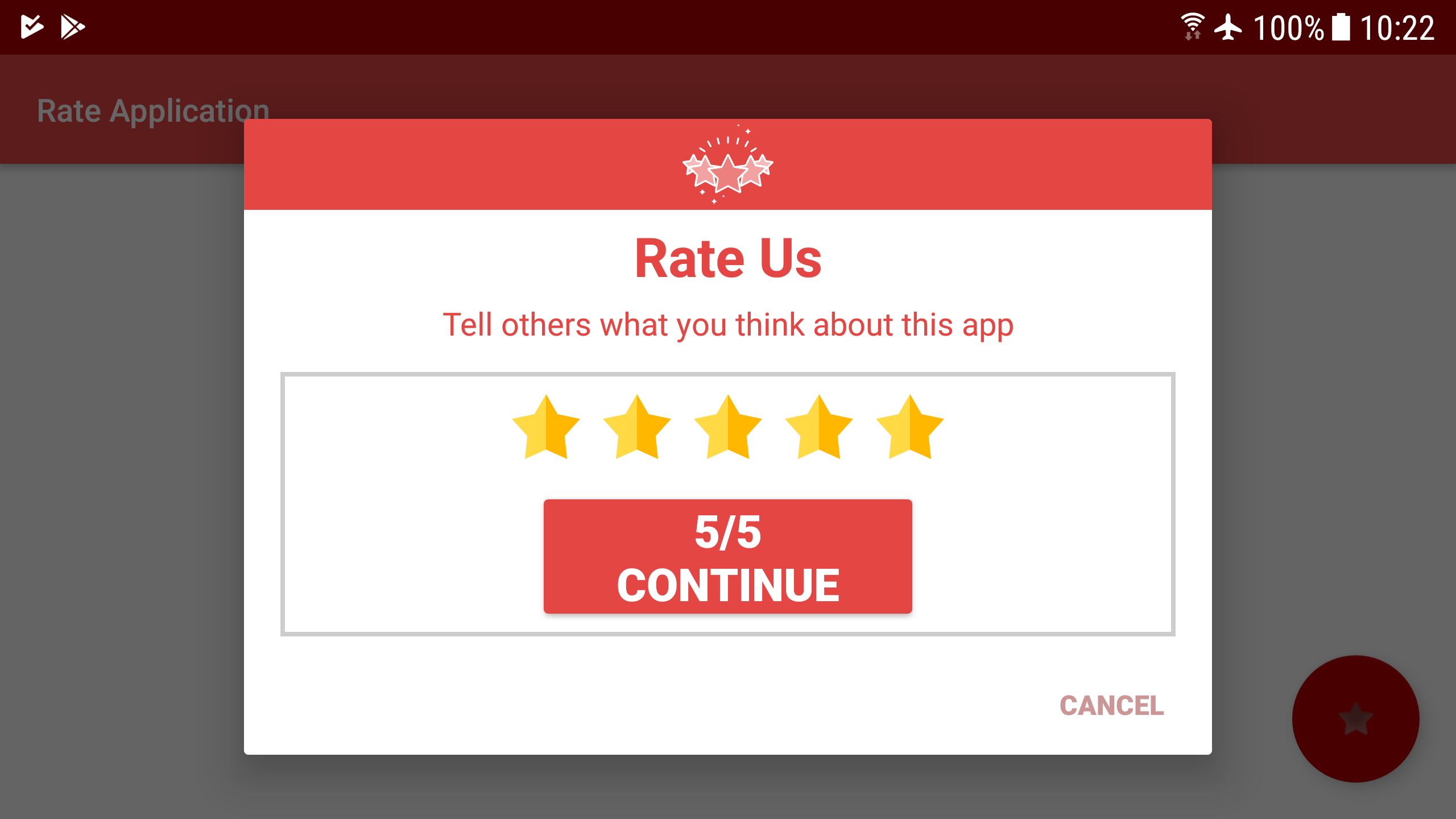
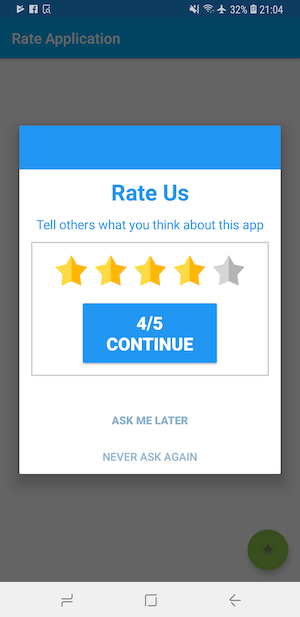
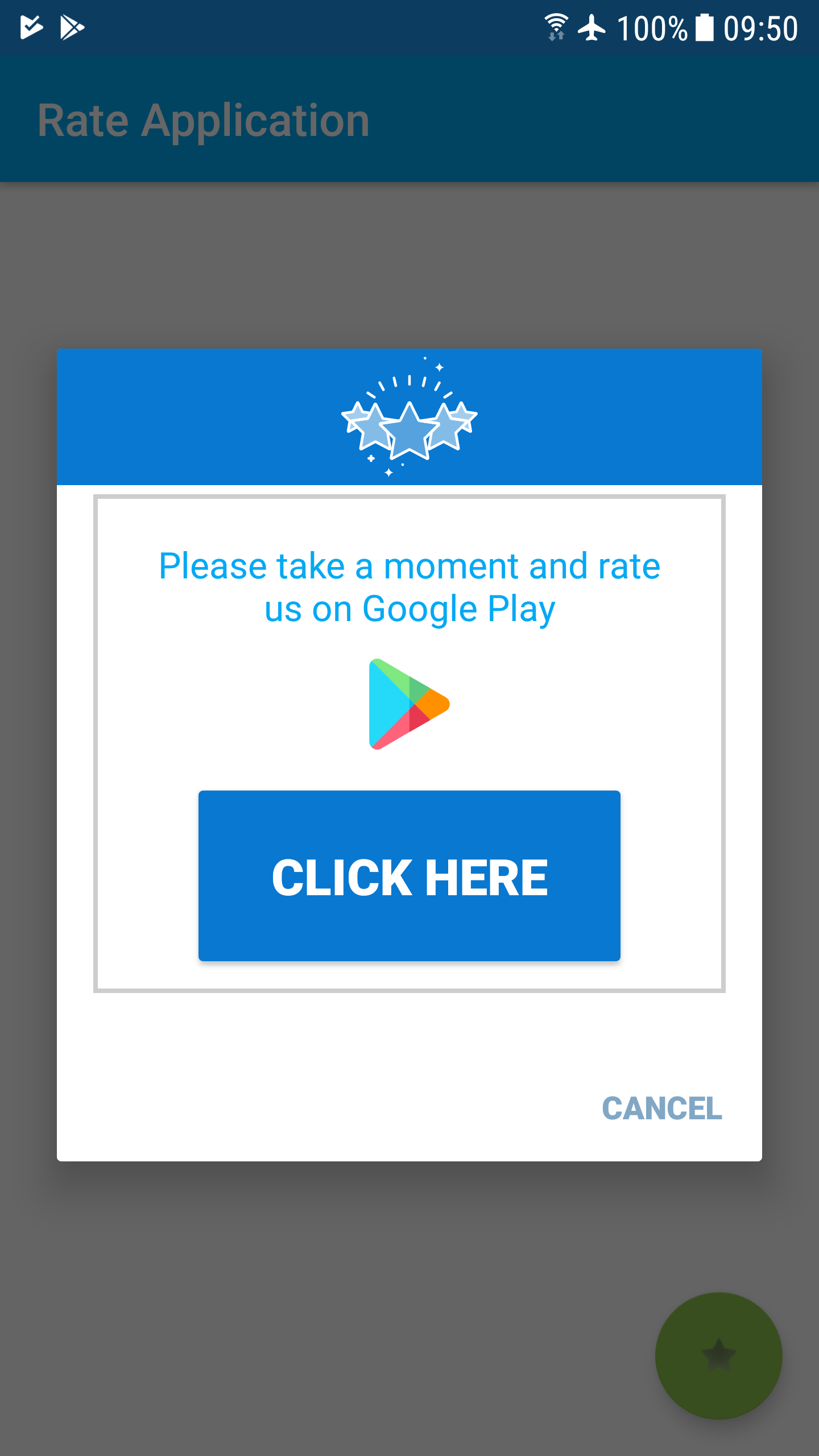
Animated Android Smart Rate Us Dialog


A library for simple implementation of smart ranking. The user will see a dialog every x time. If the user gives a high score, he will be transferred to the Google store. If he gives a low score, he will only receive a thank you toast message.

Android Smart Rate Us Dialog

Step 1. Add it in your root build.gradle at the end of repositories:
                                                             Download: Code

allprojects {
    repositories {
maven {
}
    }
}

Step 2. Add the dependency:

dependencies {
         implementation 'com.github.guy-4444:SmartRateUsDialog-Android:1.00.08'
}

Step 3. Call Constructor:

// For one time call
    SmartRate.Rate(MainActivity.this
            , "Rate Us"
            , "Tell others what you think about this app"
            , "Continue"
            , "Close"
            , "Thanks for the feedback"
            , Color.parseColor("#2196F3")
            , 4
    );
    // For continual calls -
    SmartRate.Rate(MainActivity.this
                , "Rate Us" // title - optional
                , "Tell others what you think about this app" // content - optional
                , "Continue" // OK button text - optional
                , "Ask me later" // later button text - optional
                , "Never ask again" // stop asking button text - optional
                , "Thanks for the feedback" // thanks message to low star users - optional
                , Color.parseColor("#2196F3") // dialog theme color
                , 4 // open google play from _ stars  1..5 - optional
  , 48 // time between calls (unit: Hours) - default is 6 days
  , 72 // Time to wait until you start asking for the first time (unit: Hours) - default is 3 days
                );


Full Code - Download 

Wednesday, 29 January 2020

Android Animation Ham Button

Ham Button in Android

Ham is also called as Boom Button, its nothing but animated buttons in Android like showed in following view.


Step 1: Setup Gradle & Maven
                                                   Download : Code

implementation 'com.nightonke:boommenu:1.0.9'
Step 2: Setup Layout 

<com.nightonke.boommenu.BoomMenuButton
    android:id="@+id/boom"
    android:layout_width="wrap_content"
    android:layout_height="wrap_content"
    android:layout_alignParentEnd="true"
    android:layout_alignParentRight="true"
    android:layout_alignParentBottom="true"
    android:layout_margin="20dp"
    android:checkableBehavior="single"
    app:boom_button_color="@color/colorPrimary"
    app:boom_button_pressed_color="@color/colorPrimary"
    app:boom_inActionBar="false" />
Step 3: Write Java Code (MainActivity.java)

public class MainActivity extends AppCompatActivity {

  private boolean init = false;
  private BoomMenuButton boomMenuButton;

  @Override
  protected void onCreate(Bundle savedInstanceState) {
      super.onCreate(savedInstanceState);
      setContentView(R.layout.activity_main);
      boomMenuButton = findViewById(R.id.boom);

  }

  @Override
  public void onWindowFocusChanged(boolean hasFocus) {
      super.onWindowFocusChanged(hasFocus);

      // Use a param to record whether the boom button has been initialized
      // Because we don't need to init it again when onResume()
      if (init) return;
      init = true;

      Drawable[] subButtonDrawables = new Drawable[3];
      int[] drawablesResource = new int[]{
              R.drawable.search,
              R.drawable.refresh,
              R.drawable.settings
      };
      for (int i = 0; i < 3; i++)
          subButtonDrawables[i] = ContextCompat.getDrawable(this, drawablesResource[i]);

      int[][] subButtonColors = new int[3][2];
      for (int i = 0; i < 3; i++) {
          subButtonColors[i][1] = ContextCompat.getColor(this, R.color.textcolor);
          subButtonColors[i][0] = Util.getInstance().getPressedColor(subButtonColors[i][1]);
      }

      // Now with Builder, you can init BMB more convenient
      new BoomMenuButton.Builder()
              .addSubButton(ContextCompat.getDrawable(this, R.drawable.search), subButtonColors[0], "Search")
              .addSubButton(ContextCompat.getDrawable(this, R.drawable.refresh), subButtonColors[0], "Refresh")
              .addSubButton(ContextCompat.getDrawable(this, R.drawable.settings), subButtonColors[0], "Setting")
              .button(ButtonType.HAM)
              .boom(BoomType.PARABOLA)
              .place(PlaceType.HAM_3_1)
              .subButtonTextColor(ContextCompat.getColor(this, R.color.colorPrimaryDark))
              .subButtonsShadow(Util.getInstance().dp2px(2), Util.getInstance().dp2px(2))
              .onSubButtonClick(new BoomMenuButton.OnSubButtonClickListener() {
                  @Override
                  public void onClick(int buttonIndex) {
                      switch (buttonIndex) {
                          default:
                              Toast.makeText(getApplicationContext(), "Ham Button Clicked", Toast.LENGTH_SHORT).show();
                              break;
                      }
                  }
              })
              .init(boomMenuButton);
  }
} 

Step 4: Compile and Run.

Download full code.

15 Best Open-Source Android Apps With Source Code 2020

Best open-source Android apps with source code:

1. Telegram

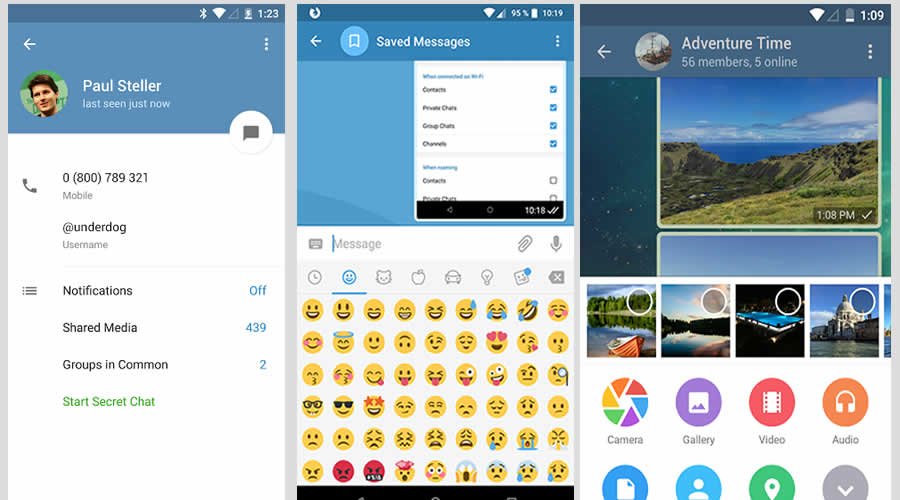
Telegram is one of the mostly used encrypted instant messaging service available for Android and iOS. Learn from the Telegram code — how an instant messaging app with super security works.

Telegram - Best open-source Android apps

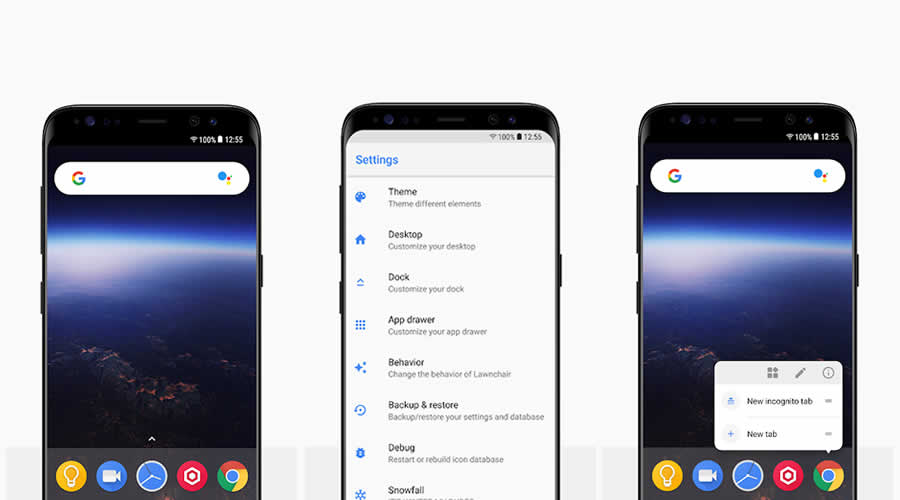
2. Lawnchair Launcher

Lawnchair is a simple open-source Android launcher app bringing Pixel features. If you are developing a new Android launcher, then refer the codes of Lawnchair, because it may help you to integrate different Android customization options to your app.
                                                            Download Code

Lawnchair Launcher - Best open-source Android apps

3. Minimal ToDo

Minimal ToDo is a lightweight Android app for the to-do list. This app will help beginners to develop a simple yet powerful to-do list app.

Minimal ToDo - Best open-source Android apps

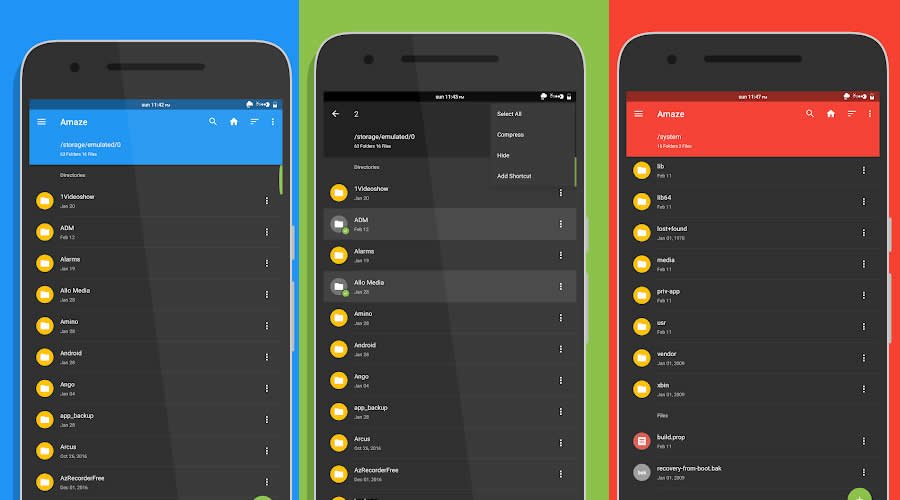
4. Amaze File Manager

Amaze File Manager is a lite file manager app for Android with material design guidelines. There are a lot of things you can learn from this app, like how to manage files on SD cards, cloud services support, AES Encryption and Decryption of files for security, etc.

Amaze File Manager - Best open-source Android apps

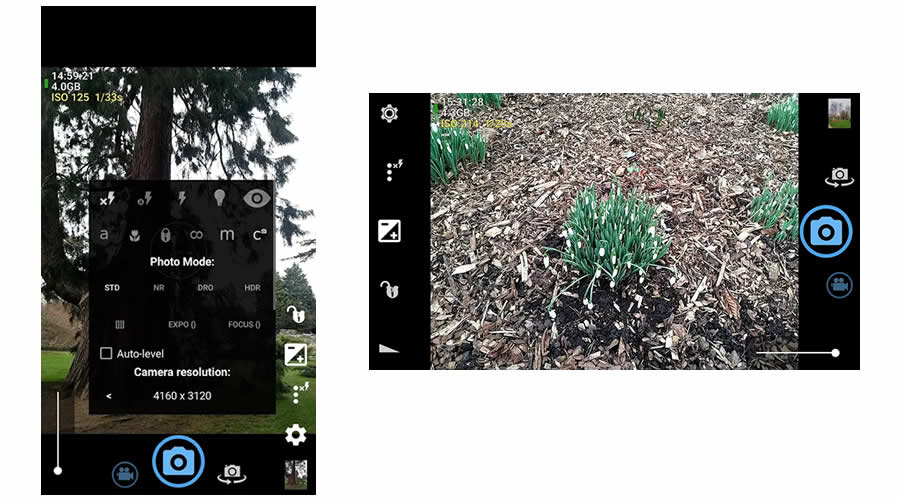
5. Open Camera

Open Camera is a fully featured and open-source camera app for Android devices. The project will help you know about how to add the auto-stabilization option on a camera app, how to take photo remotely by making a noise, multi-touch gesture and single-touch control on the camera app, etc.

Open Camera - Best open-source Android apps

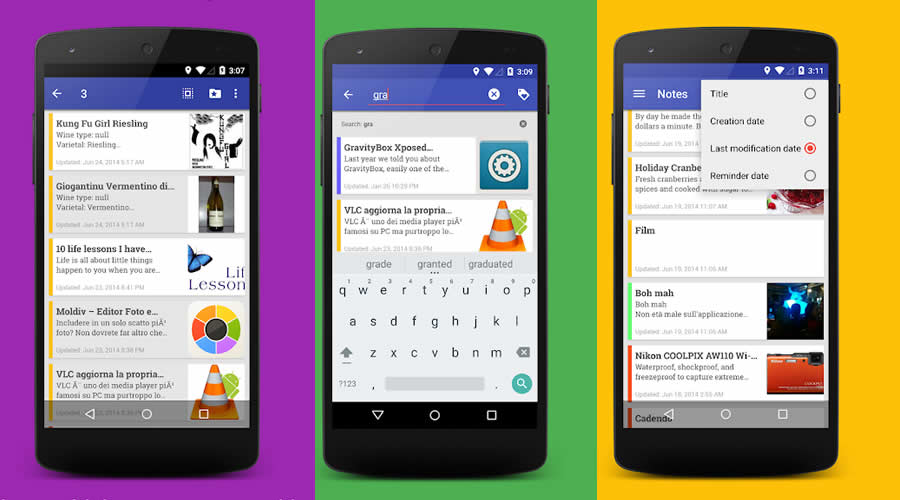
6. OmniNotes

Fully-featured lightweight open-source Android note-taking application. With OmniNotes app source code will help to develop your own note talking application with features like basic add, modify, archive, trash and delete notes actions, insertion of an image, audio and generic file attachments in notes, including a To-do list feature on your note app, etc.

OmniNotes - Best open-source Android apps

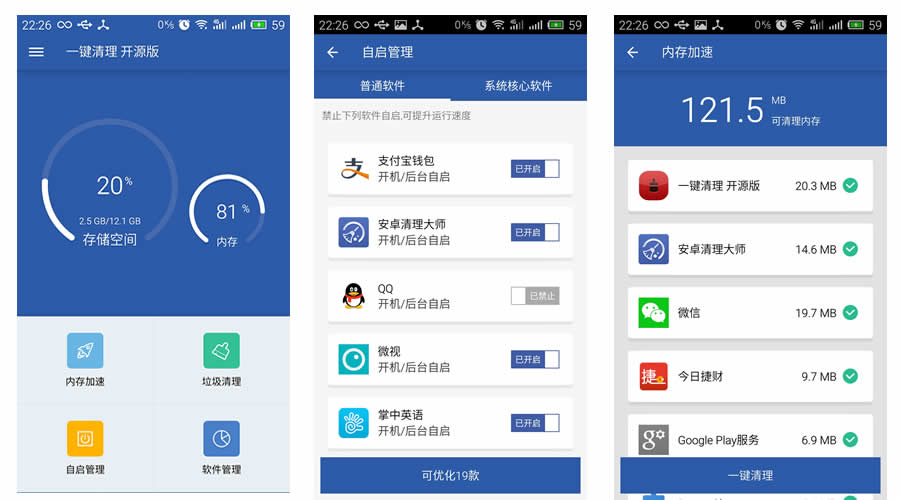
7. Super Clean Master

Similar to Clean Master app, Super Clean Master is used to clean up some junk data from your Android device. Super Clean Master project will help you to understand the collection and detection of junk files and how to handle it in an elegant way. the project is a little bit complicated, it will take some time for beginners to fully grasp the source code.

Super Clean Master - Best open-source Android apps

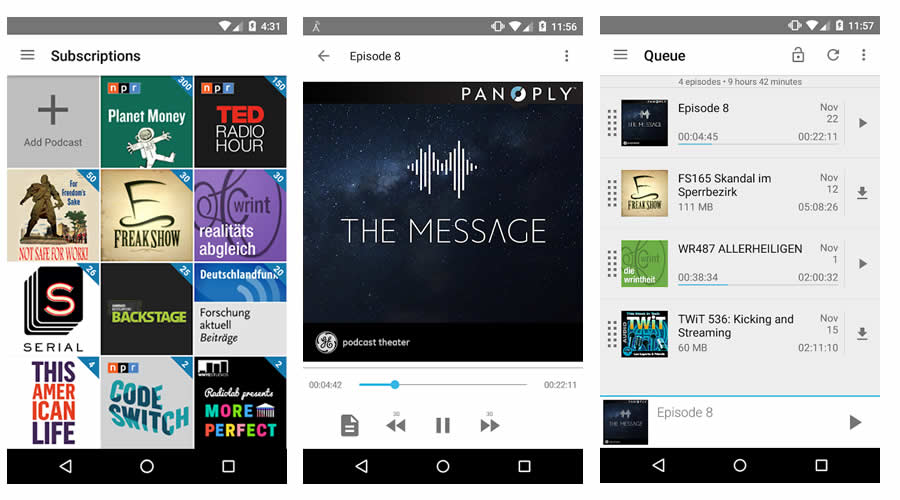
8. AntennaPod

AntennaPod is a podcast manager and player that gives you instant access to millions of free and paid podcasts. This open-source Android app will teach you different integration techniques, managing playback settings, etc.

AntennaPod - Best open-source Android apps

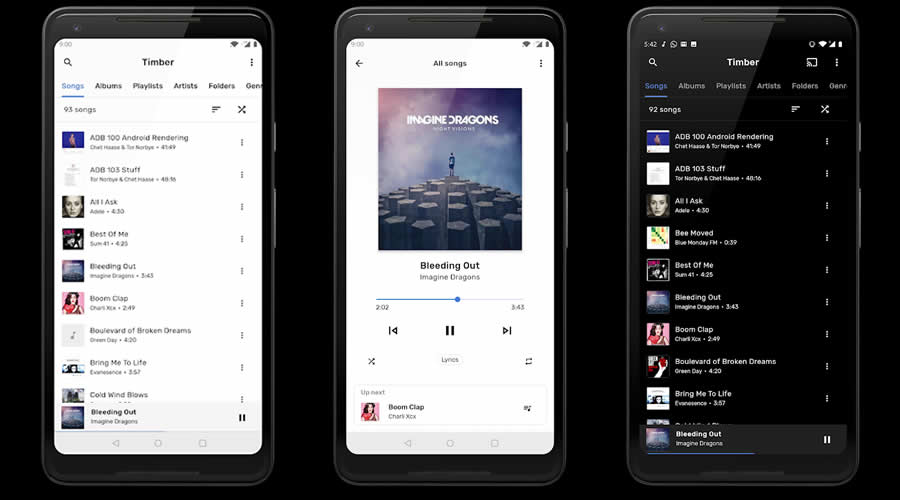
9. TimberX Music Player

TimberX Music Player is one of the new open-source Android apps written in Kotlin. TimberX comes with a simple UI with great features. The app source code will help you learn data binding and dependency injection. The app has cross-platform support — it works on phones, Android Wear, Android Auto, Chrome cast and other cast devices and Google Assistant.

TimberX Music Player - Best open-source Android apps

10. LeafPic

LeafPic is a fluid, material-designed alternative gallery app for Android. It comes with all stock gallery features and the source code is really a helpful guide for a beginner Android developer.
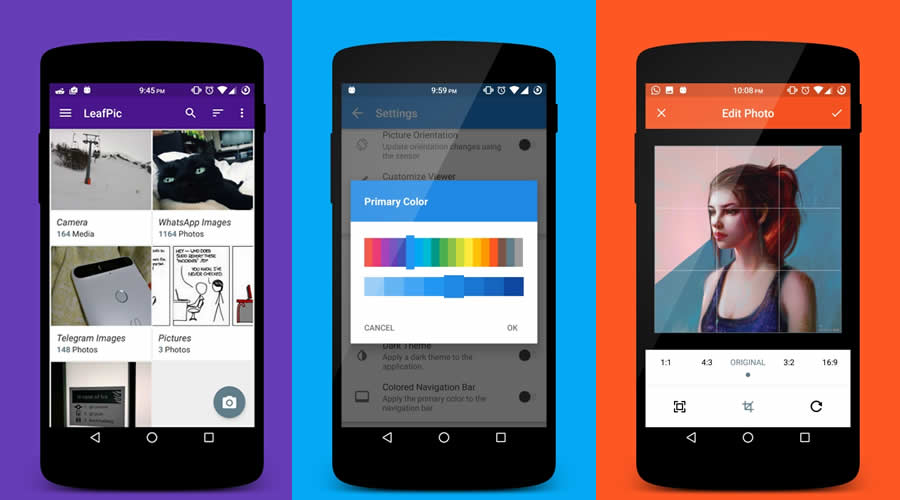
LeafPic - Best open-source Android apps

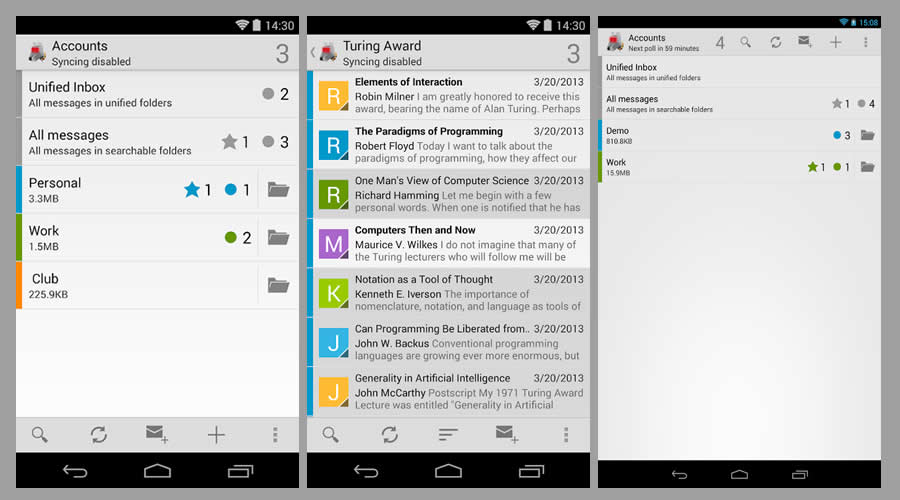
11. K-9 Mail

K-9 Mail - Best open-source Android apps
K-9 Mail is an open-source email client for Android with support for multiple accounts, search, IMAP push email, multi-folder sync, flagging, filing, signatures, BCC-self, PGP/MIME & more. This project helps you to understand the working of an email client and how to implement IMAP, POP3, and Exchange 2003/2007.

K-9 Mail - Best open-source Android apps

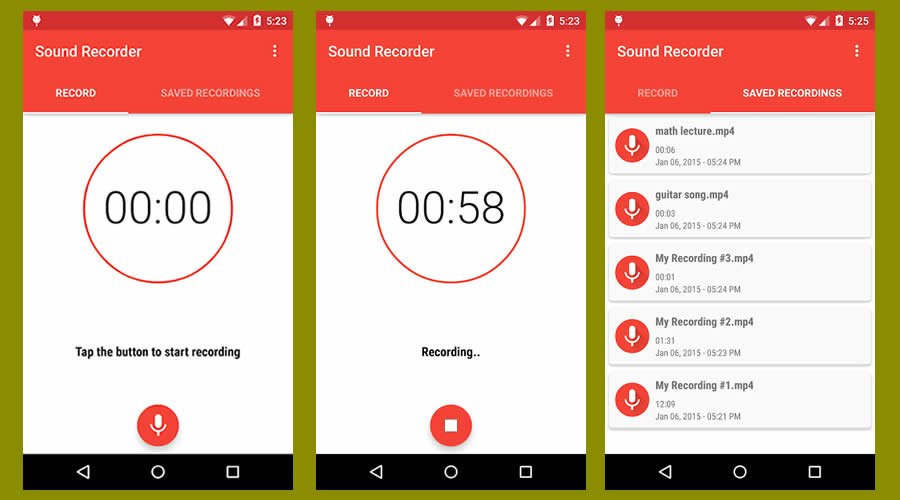
12. Easy Sound Recorder

Easy Sound Recorder - Best open-source Android apps
Easy Sound Recorder is a simple open-source sound recorder app with material design. The project will help you to learn Android voice recording integration and manipulation in apps.

Easy Sound Recorder - Best open-source Android apps

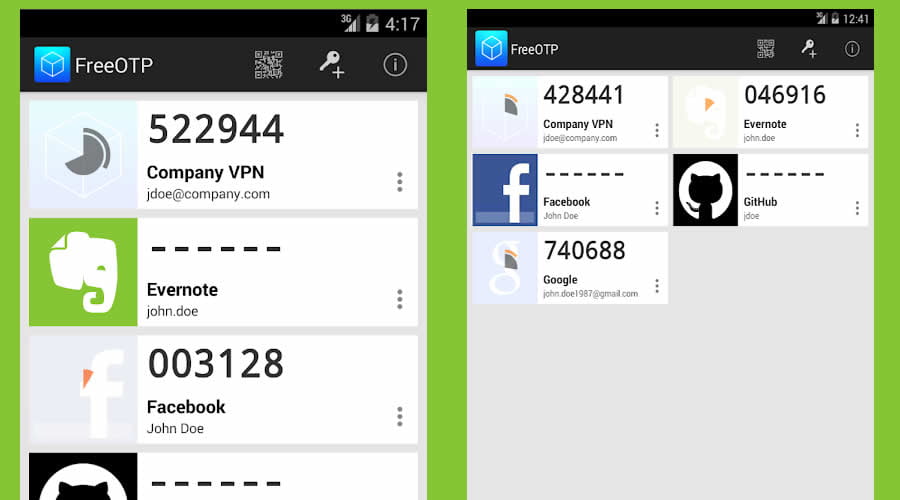
13. FreeOTP Authenticator

FreeOTP Authenticator - Best open-source Android apps
FreeOTP is an open-source 2FA authenticator developed by Red Hat. The app source code teaches you the working of an authenticator app, how to generate one-time passwords on your mobile devices which can be used in conjunction with your normal password to make your login nearly impossible to hack.

FreeOTP Authenticator - Best open-source Android apps

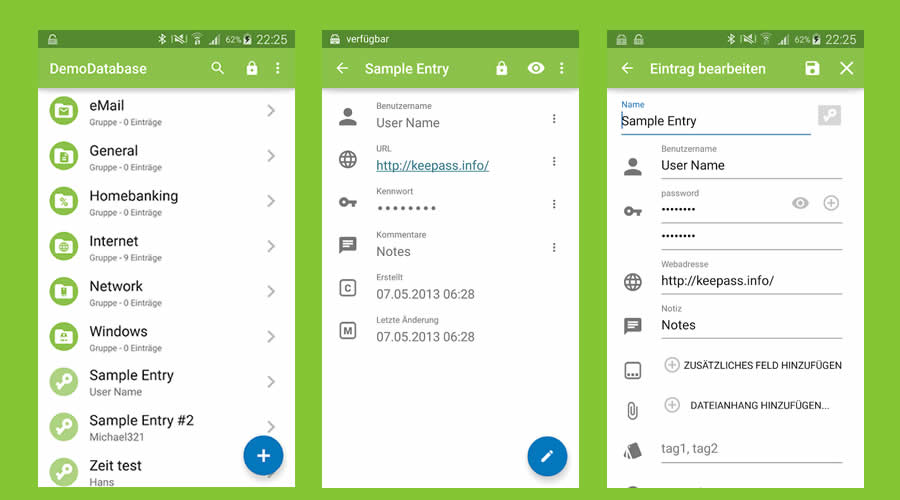
14. Keepass2Android Password Safe

Keepass2Android Password Safe - Best open-source Android apps
Keepass2Android is an open-source password manager app for Android. The projects make you understand the security features of a password manager and how to safeguard and auto save passwords using built-in cloud storage options.

Keepass2Android Password Safe - Best open-source Android apps

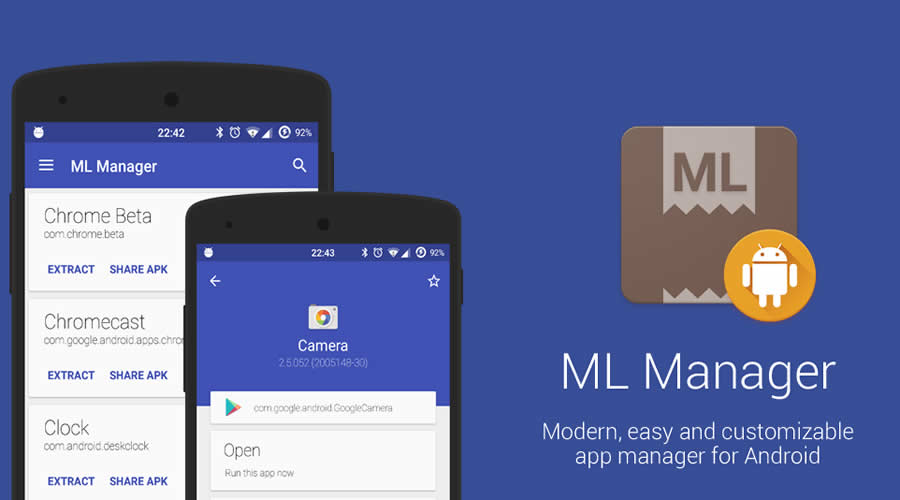
15. ML Manager

ML Manager - Best open-source Android apps
A modern, easy and customizable open-source app manager for Android with root features. The project helps you to learn how to extract installed & system apps and save locally as APK, uninstallation process of apps, etc

ML Manager - Best open-source Android apps

Donate